PhotoMaster1.0
Publisher Description
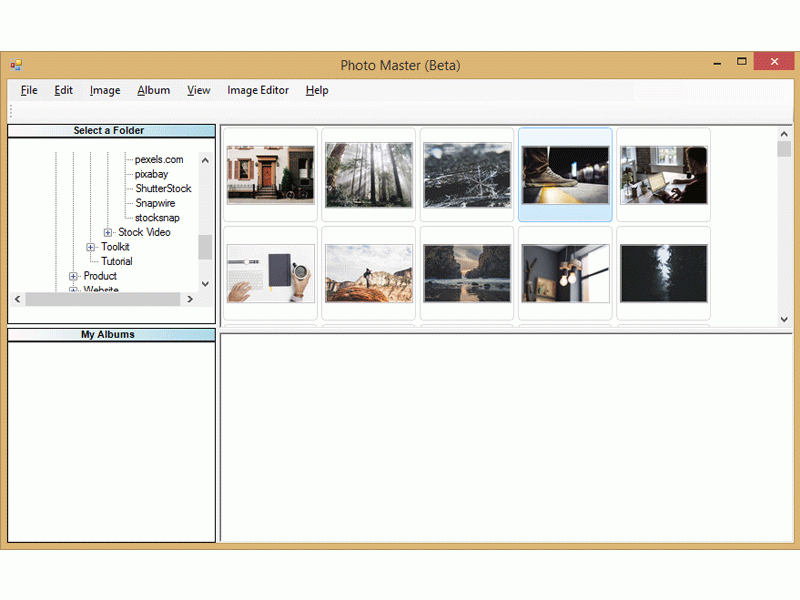
PhotoMaster is a complete collection of all the high quality tools to help you make easy all your photo editing and management tasks. Backed with years of research and innovations, Photo Master is a perfect utility to put together and organize all your photos at one place. Organizing your photographs have never been easier. Sort them rename them and give a profile to your collection using this software. you can give a new life to your old memories by adding effects like Sepia or a Sketch. Find that perfect texture for your next DP on social platforms. it comes with more enhanced features that would allow you to create a new collage, slide show. Save more by creating your own greeting cards. Smart photo importer of this software lets you import images from anywhere including photos and videos from digital camera and also supports Raw images. you can create photo calendars, collages, photo mixes and a lot more. Make slide-shows with photos and videos and share your files easily through email. Manage your photos and organize them at one place by creating virtual albums. Tag photos with custom keywords to identify them easily. Need a photo desperately, you will find it in seconds with help of powerful filters, and it does not matter if there are 1000 photographs or 10,000. Get Photo Master and enjoy more comfort, more power and more performance.
About PhotoMaster
This program is available in English. It was last updated on 29 September, 2026. PhotoMaster is compatible with the following operating systems: Windows.
The company that develops PhotoMaster is advanced pc care. The latest version released by its developer is 1.0. This version was rated by 2 users of our site and has an average rating of 3.5.
The download we have available for PhotoMaster has a file size of 1.0 MB. Just click the green Download button above to start the downloading process. The program is listed on our website since 2016-05-17 and was downloaded 476 times. We have already checked if the download link is safe, however for your own protection we recommend that you scan the downloaded software with your antivirus. Your antivirus may detect the PhotoMaster as malware if the download link is broken.
How to install PhotoMaster on your Windows device:
- Click on the Download button on our website. This will start the download from the website of the developer.
- Once the PhotoMaster is downloaded click on it to start the setup process (assuming you are on a desktop computer).
- When the installation is finished you should be able to see and run the program.
Program Details
System requirements
Download information
Pricing
Version History
version 1.0
posted on 2016-05-17
New Release
